
8 Top Cloud PACS Platforms for Zero-Footprint Web Viewer
Your radiology team is still installing a desktop viewer on every workstation that needs to open a scan. Slow load times, version conflicts, and remote staff locked out of studies are exactly why imaging leaders are replacing legacy PACS with browser-based platforms that need no local install.
This guide breaks down what separates a usable zero-footprint web viewer from a frustrating one, from rendering speed and security to integration with your existing workflow. You will get a concrete evaluation checklist and a ranked look at eight cloud PACS platforms, starting with Medicai as the best overall pick, so you can choose with confidence.
What to Look For in a Cloud PACS with a Zero-Footprint Web Viewer
Selecting a cloud PACS with a zero-footprint web viewer requires evaluating viewer performance, security posture, and integration capabilities to ensure it meets clinical and operational demands. A polished interface can hide weak foundations, so the criteria need to go beyond first impressions.
These three pillars work together. A fast viewer that cannot protect patient data is a liability, and a secure platform that does not connect to your EHR creates new silos. Balance all three before shortlisting vendors.
The checklist below translates each pillar into concrete questions and benchmarks. Use it to compare platforms on equal footing rather than on marketing claims alone.
Viewer Performance, Security, and Integration Checklist
A zero-footprint DICOM viewer must deliver sub-second image rendering, support advanced visualization tools like MPR and 3D, and function seamlessly across browsers and devices without plugins. Zero-footprint means no local installation, which reduces IT overhead and improves cross-platform access for radiologists working on desktops, laptops, or tablets.
Performance is where many web-based viewers diverge. Ask vendors for realistic load times, ideally under two seconds for a 500-image study, and confirm that pan, zoom, and window/level adjustments stay smooth at full resolution. Measurement tools, annotation sharing, and prior study comparison should all work inside the browser.
Security deserves equal scrutiny. Confirm HIPAA compliance where applicable and GDPR alignment for European users, plus encryption at rest and in transit. Role-based access controls and detailed audit logs are baseline requirements, not extras.
Integration determines whether the platform fits your radiology workflow or fights it. Look for HL7 and FHIR interfaces, IHE profiles, vendor-neutral archive (VNA) compatibility, and published APIs for connecting enterprise imaging systems.
Use this checklist when speaking with vendors:
- Performance: Load time for a large study, rendering speed for MPR and 3D, behavior on lower-bandwidth connections
- Security: HIPAA or GDPR status, encryption standards, audit log detail, role-based permissions, data residency options
- Integration: HL7 and FHIR support, IHE profile coverage, VNA compatibility, API availability and documentation
- Access: Browser and device support, behavior on tablets, session handling for teleradiology use
- Support: Uptime commitments, onboarding process, escalation paths for clinical downtime
Ask each vendor for a live demonstration using your own anonymized studies rather than curated sample data. That single step reveals more about real-world performance than any specification sheet.
1. Medicai - Best Overall
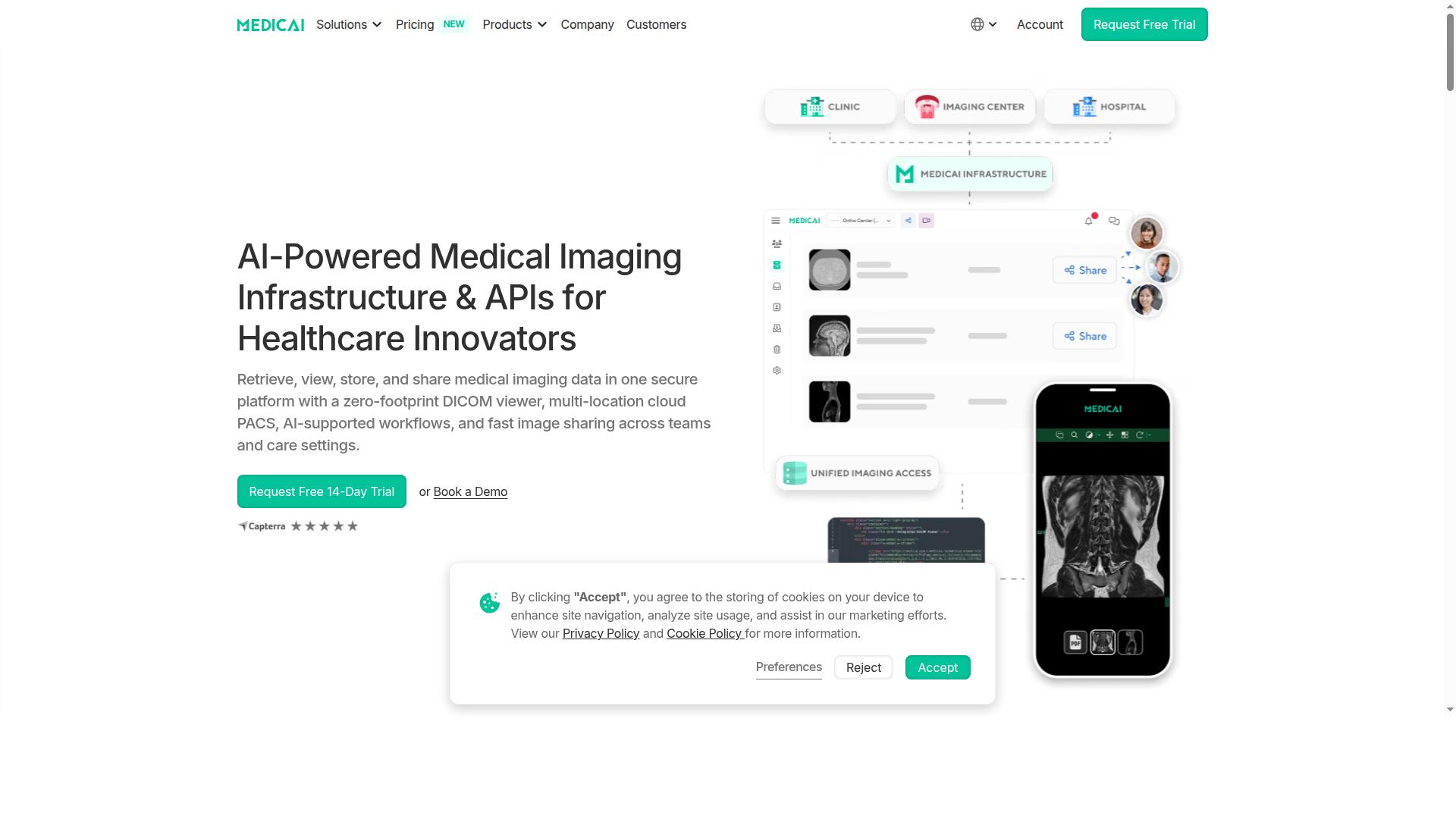
Medicai earns the top spot for its combination of a true zero-footprint DICOM viewer, comprehensive cloud PACS features, and transparent pricing that scales with storage needs. The platform lets healthcare providers retrieve, view, store, and share medical imaging data in one secure environment.
Built for radiology teams that need imaging infrastructure without managing servers, Medicai delivers cloud PACS, AI-supported workflows, and fast image sharing across teams and care settings. Its Imaging Infrastructure as a Service model keeps deployment light while supporting interoperability across locations.
Zero-Footprint DICOM Viewer, Cloud PACS, and Transparent Pricing
Medicai's zero-footprint DICOM viewer runs entirely in a web browser, eliminating local installations while providing access to studies stored in its cloud PACS. Because it is a web-based viewer, clinicians can open studies from any modern browser without plugins or desktop software.
The platform pairs that viewer with a multi-location cloud PACS for storage and image management. Teams can share studies quickly across sites, which matters for teleradiology, diagnostic imaging, and distributed care networks.
Medicai reports more than 1M studies processed annually, over 1.7M studies in storage, 300k+ visualizations, and 50M+ API transactions. The viewer is FDA cleared and CEE marked, and the platform is HIPAA and GDPR compliant.
Integration options include MD.ai and OHIF, giving imaging teams room to connect AI tools and open-source viewing workflows to the same archive. This supports interoperability goals such as HL7, FHIR, and IHE alignment across healthcare IT environments.
Pricing is published openly, with unlimited user accounts on every plan:
- Starter: $249/month for 500 GB cloud storage, no connected locations
- Standard: $749/month for 2 TB cloud storage, one connected location
- Enterprise: custom pricing with custom storage and multiple connected and external locations
Yearly billing saves 15%: Starter at $209/month and Standard at $639/month, both paid yearly. A DICOM Gateway setup costs $1,000 one-time per location, and a free 14-day trial of Starter features is available without a credit card. Per-study pricing is offered for enterprise customers, and refunds are not available for partial periods.
That combination of a zero-download viewer, cloud storage, and clear published rates makes Medicai a practical fit for practices that want a SaaS PACS without hidden costs or per-seat fees.
2. UltraLinq
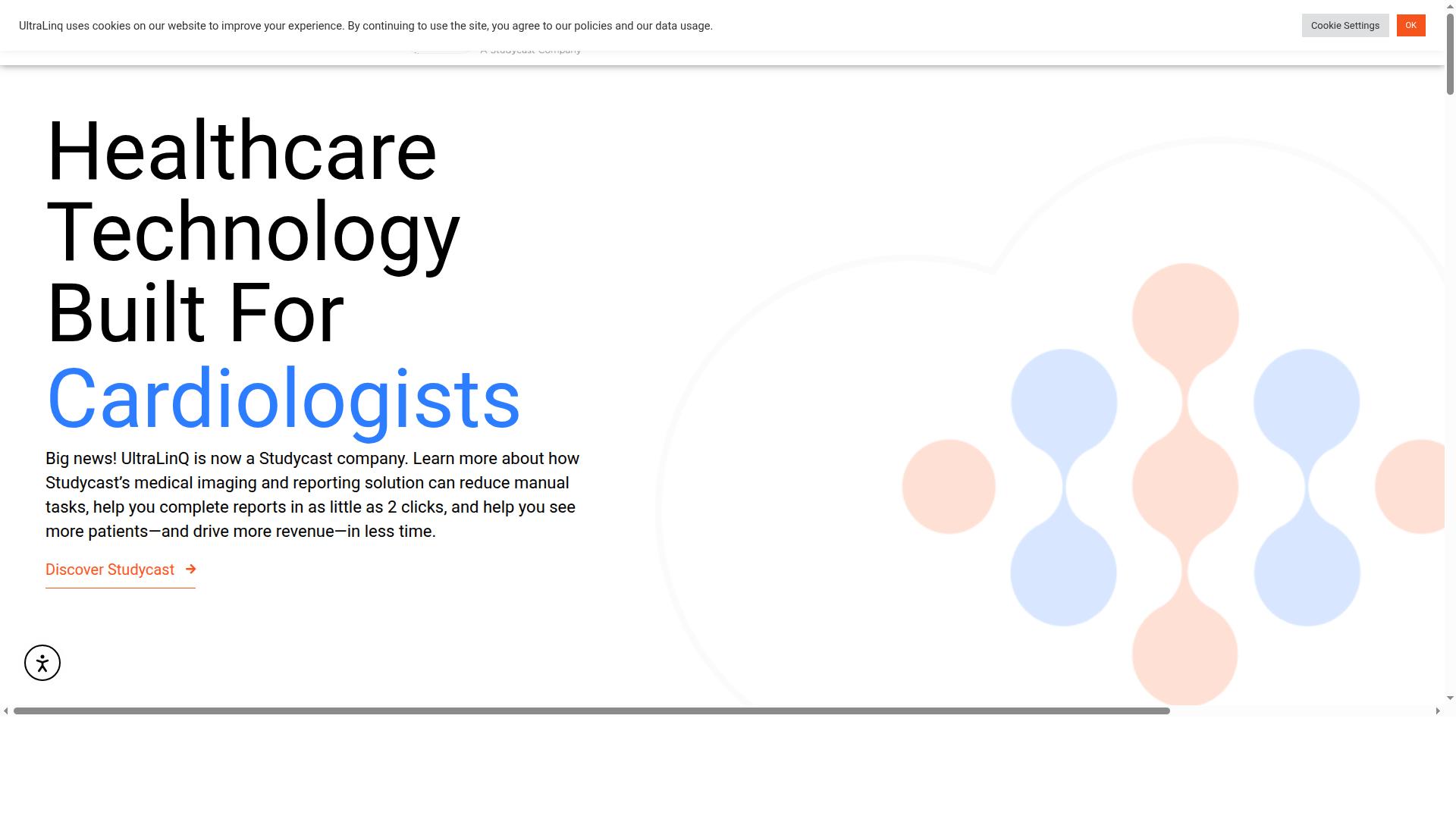
UltraLinq is a cloud-based PACS and DICOM viewer designed for radiology practices, offering a zero-footprint viewer and scalable storage. It gives healthcare organizations a way to store, retrieve, manage, and share medical images securely online, without maintaining on-site servers.
The platform's zero-footprint web viewer supports image review through a browser, which fits teams that want remote access without installing client software on every workstation. For radiology and teleradiology groups, that model can simplify how images are read across sites.
UltraLinq also leans into cardiology-focused tools, including a Cardiology Suite, Cardiology PACS, cardiac monitoring, an AI offering, and an ECG patch. That makes it a reasonable fit for organizations handling both diagnostic imaging and cardiac workflows under one platform.
- Interoperability: connections with EHRs, EMRs, RIS systems, and imaging modalities
- Security: emphasis on compliance and medical data protection
- Scalability: cloud storage that grows with image volume
- Viewing: advanced diagnostic tools alongside the browser-based viewer
Typical use cases include radiology teams and modern healthcare organizations seeking cloud PACS and teleradiology support. UltraLinq keeps pricing quote-based, so buyers should request a tailored estimate rather than expect a published rate card.
As with any platform in this category, confirm current features, viewer capabilities, and integration details directly with the vendor before committing. Requirements around HL7, FHIR, and IHE profiles vary by site, and it is worth verifying how each one is handled in practice.
3. Ambra Health
Ambra Health offers a cloud-based medical image management platform with a zero-footprint viewer and strong image exchange capabilities. The suite is built around moving medical imaging securely across multiple locations and EHR systems, which makes it a practical fit for organizations that need to share studies beyond a single facility.
Ambra Health is now part of Intelerad, and its platform combines cloud PACS and vendor-neutral archive (VNA) functions in one environment. That pairing lets a healthcare IT team manage image storage and image exchange without running separate systems for each job.
For imaging departments weighing a browser-based PACS, the platform is worth a close look, particularly where interoperability across sites is a priority. As with any vendor, readers should confirm current capabilities, contracts, and roadmap details directly with the company.
The platform handles both DICOM and non-DICOM formats, including formats such as JPEG, DOC, and TIFF. That matters for enterprise imaging teams that need to store documents and other clinical files alongside standard diagnostic imaging studies.
Core functions described for the product include:
- Image upload and study categorization for organizing large volumes of medical imaging
- An integrated viewer with zoom, annotations, and measurement tools for image interpretation
- Study sharing so clinicians can exchange imaging with referring physicians and external partners
- EHR integration to connect imaging with the wider patient record
These features support radiology workflow and image interpretation across distributed care teams. The viewer runs in the browser, which fits the zero-footprint, no-plugin model this article focuses on.
Ambra Health positions itself around interoperability and enterprise imaging. The suite is aimed at hospitals, health systems, radiology groups, cardiology departments, life sciences organizations, and subspecialty practices.
For a teleradiology operation or a multi-site health system, that breadth can reduce the friction of connecting different imaging sources. Image exchange across locations and EHR systems is the central theme rather than a secondary add-on.
Healthcare IT teams should still map their own requirements, such as HL7 and FHIR interfaces, IHE profiles, and medical data security controls, against what the vendor confirms in writing. Interoperability claims are best verified against your specific EHR and modality mix.
Pricing for Ambra Health is listed as custom, with the vendor stating that it offers customized pricing tailored to the specific needs of each practice. There is no published starting price, so budgeting requires a direct quote based on your organization's size and scope.
That model is common among enterprise imaging vendors, where cloud storage volume, integration work, and user counts vary widely. Buyers should ask what is included in a base agreement and what is billed separately.
As part of Intelerad, Ambra Health sits within a larger medical imaging software portfolio. Readers evaluating it alongside other cloud PACS options should confirm the current product lineup and support terms with the vendor before committing.
Overall, Ambra Health is a credible option for organizations that prioritize image exchange and enterprise imaging. It earns consideration where cross-site interoperability is central, while teams focused on a lean, fast-to-deploy web viewer should compare it against the other platforms in this roundup.
4. Fujifilm Synapse
Fujifilm Synapse is a widely adopted enterprise imaging platform that includes cloud PACS and a zero-footprint viewer for radiology workflows. It sits within a broad portfolio that spans diagnostic reading, archiving, and specialty modules, which makes it a common choice for hospitals and imaging groups already invested in Fujifilm technology.
The platform's strength is its maturity. Synapse has evolved over many releases into a full picture archiving and communication system used across radiology and specialty departments, not just a viewer bolted onto a storage layer. For healthcare IT teams, that long track record often translates into predictable deployment patterns and well-documented integration paths.
Version 5 of Synapse introduced a server-side rendering architecture. In practical terms, this means image processing happens on the server rather than in the browser, which can give users sub-second on-demand access to large datasets and reduce the load on client workstations. The zero-download viewer runs in the browser, so radiologists can open studies without installing local software.
That architecture also carries IT benefits. Because rendering is centralized, organizations may find it easier to manage performance across varied hardware and network conditions. The browser flexibility supports remote access and teleradiology use cases where readers work from different locations and devices.
Synapse is part of a larger Fujifilm enterprise imaging ecosystem. Related components include:
- Synapse VNA for vendor-neutral archive storage and long-term image management
- Synapse Enterprise Viewer for broader clinical access beyond radiology
- Cardiovascular and 3D modules for specialty diagnostic imaging
- Synapse RIS for radiology workflow and order management
- Cloud services that extend the platform beyond on-premises deployment
This breadth matters for organizations consolidating systems. A single vendor covering archive, viewer, RIS, and specialty tools can simplify interoperability planning and reduce the number of interfaces an IT team has to maintain.
The platform provides a universal diagnostic viewer with fast case loading. Server-side rules can trigger AI and algorithm execution, which lets teams apply automated processing within the reading workflow. Analytics and active monitoring features give administrators visibility into system health and usage patterns.
On the integration side, Synapse connects with major EHR systems, including Epic and Oracle Health EHR (Cerner). These connections support the HL7 and workflow links that keep orders, reports, and images aligned across clinical systems.
Synapse tends to suit larger enterprises with established imaging infrastructure. Organizations evaluating it should confirm how the cloud and zero-footprint options fit their existing Fujifilm footprint, and check which modules are licensed separately. Pricing is not publicly listed, so buyers typically need a direct quote based on scope and deployment model.
5. Visage Imaging (Visage 7)
Visage Imaging's Visage 7 is a thin-client, zero-footprint viewer known for high-performance diagnostic imaging across the enterprise. It is built for organizations that want to replace traditional on-premises PACS with a cloud-delivered platform that scales from a single site to regional and national networks.
The product is positioned as a proven, fast, clinically rich, and highly scalable enterprise imaging platform. Visage states that the entire system can be delivered from the cloud, which matters for healthcare IT teams weighing a full PACS replacement rather than a partial add-on.
A defining idea behind Visage 7 is its One Viewer philosophy. Diagnostic, clinical, specialty, research, and mobile imaging workflows are intended to run from a singular platform, which can reduce the number of separate viewers radiologists and clinicians must learn.
The platform is offered in modular pieces, and Visage describes each as 100% native. Readers evaluating a cloud PACS should look at how these modules fit their current picture archiving and communication system landscape:
- Visage 7 Workflow for diagnostic and reading workflows
- Visage 7 Open Archive for archiving and image management
- Visage 7 | AI for AI-related imaging functions
Visage has also signed a contract with LucidHealth for the Visage 7 platform, which signals adoption beyond small single-site deployments. That kind of reference matters when a radiology group or hospital is judging whether a vendor can support enterprise imaging at scale.
For teams comparing zero-footprint web viewers, the practical questions are whether the browser-based viewer handles advanced visualization, how it performs over remote access, and how it supports interoperability standards such as DICOM, HL7, FHIR, and IHE. Visage presents strong claims on speed and scalability, but capabilities and configurations change over time.
Confirm current viewer requirements, integration options, deployment models, and medical data security details directly with the vendor before shortlisting. Treat public positioning as a starting point, not a final specification.
6. OmniPACS
OmniPACS appears in public software comparison listings as a PACS option, though detailed documentation of its feature set is limited on the pages reviewed for this roundup.
For imaging centers evaluating a browser-based PACS, OmniPACS is worth shortlisting alongside the other platforms here. The name surfaces in comparison charts, which suggests an active presence in the cloud PACS market. Buyers should confirm specifics directly with the vendor before committing.
Because verified public details are sparse, this entry focuses on what to verify rather than claims about the product itself. A zero-footprint web viewer should let radiologists open studies in a browser without installing software, so that is the first thing to test.
Imaging centers and radiology groups considering OmniPACS should confirm the following during a demo or trial:
- Zero-footprint viewer behavior: confirm studies open in a standard browser with no plugin, download, or local install.
- DICOM support: check that the viewer handles the modalities your practice reads, including multi-frame and large study types.
- Cloud storage and archiving: ask where images are stored, how retention works, and whether a vendor-neutral archive option exists.
- Security and HIPAA compliance: request documentation on encryption, access controls, and audit logging.
- Interoperability: ask about HL7, FHIR, and IHE support for connecting to modalities, RIS, and EHR systems.
- Teleradiology and remote access: test the viewer over typical home and mobile connections your readers use.
- Pricing and contracts: request written pricing, including storage tiers and any per-study fees.
These checks apply to any cloud PACS purchase, not just this platform. They matter most for groups running diagnostic imaging across multiple sites, where image management and radiology workflow continuity decide whether a browser-based PACS holds up day to day.
One practical approach is a side-by-side trial. Load the same studies into OmniPACS and one or two other platforms, then time how long image interpretation takes from login to report. That gives your team evidence rather than marketing claims.
7. NovaPACS
NovaPACS is a cloud-based PACS solution that offers cloud access and a zero-footprint viewer for radiology and teleradiology. It is positioned as a cloud-based picture archiving and communication system for radiology professionals, with tools that support image review, comparison, and reporting in a browser-based setting.
Public listings rate the platform around 4.3 out of 5 from 53 reviews, which suggests a reasonably established user base. As with any cloud PACS, buyers should confirm current capabilities directly with the vendor before committing, since features and deployment options can change over time.
For teams evaluating a zero-footprint web viewer, NovaPACS is worth including on a shortlist alongside other browser-based platforms. The sections below outline what the product is generally known for and where it fits in a radiology workflow.
NovaPACS is often associated with teleradiology and distributed reading environments. A cloud deployment lets radiologists reach studies through a web-based viewer rather than a locally installed workstation client, which can simplify remote access for on-call and off-site readers.
That model matters for healthcare IT teams weighing a browser-based PACS against traditional on-premise infrastructure. Fewer local installs can mean less desktop maintenance, though network bandwidth and medical data security still need careful planning.
Because NovaPACS is described as cloud-based, organizations should verify how it handles HIPAA compliance, data residency, and interoperability with existing systems. These are standard due-diligence questions for any SaaS PACS, not concerns unique to this vendor.
Based on publicly available information, NovaPACS includes a broad set of diagnostic and workflow features. The list below summarizes what is commonly cited:
- Image review tools for viewing, analyzing, and comparing studies
- Built-in mammography support and configurable hanging protocols
- 3D and 4D viewing capabilities for advanced image interpretation
- Workflow management and customizable worklists
- Collaboration and reporting functions
- Image processing and quality assurance tools
- Built-in peer review
These capabilities point to a platform aimed at diagnostic imaging rather than simple image storage. The combination of hanging protocols, mammography, and 3D tools suggests it targets readers who need more than a basic DICOM viewer.
Peer review and QA tools are also relevant for departments focused on reporting quality and continuous improvement. Exact availability of each feature may vary by configuration, so confirm the specifics during a demo.
When comparing NovaPACS with other entries in this list, focus on how well the zero-footprint viewer fits your reading patterns. A few practical checks help separate platforms that look similar on paper.
- Confirm which studies can be opened in the browser versus a thick client
- Ask how the platform handles DICOM routing and worklist integration
- Check support for HL7 and FHIR interfaces if you need interoperability with other systems
- Review medical data security, access controls, and audit logging
- Test performance over the networks your remote readers actually use
Pricing for NovaPACS is not publicly stated in the sources reviewed, so cost comparisons require a direct quote. The same caution applies to any cloud PACS: published feature lists rarely capture implementation effort, migration work, or training needs.
Used as part of a broader image management strategy, NovaPACS can suit radiology groups and teleradiology operations that want cloud access with a mature diagnostic feature set. Weigh it against your own workflow requirements rather than review scores alone.
8. ResolutionMD
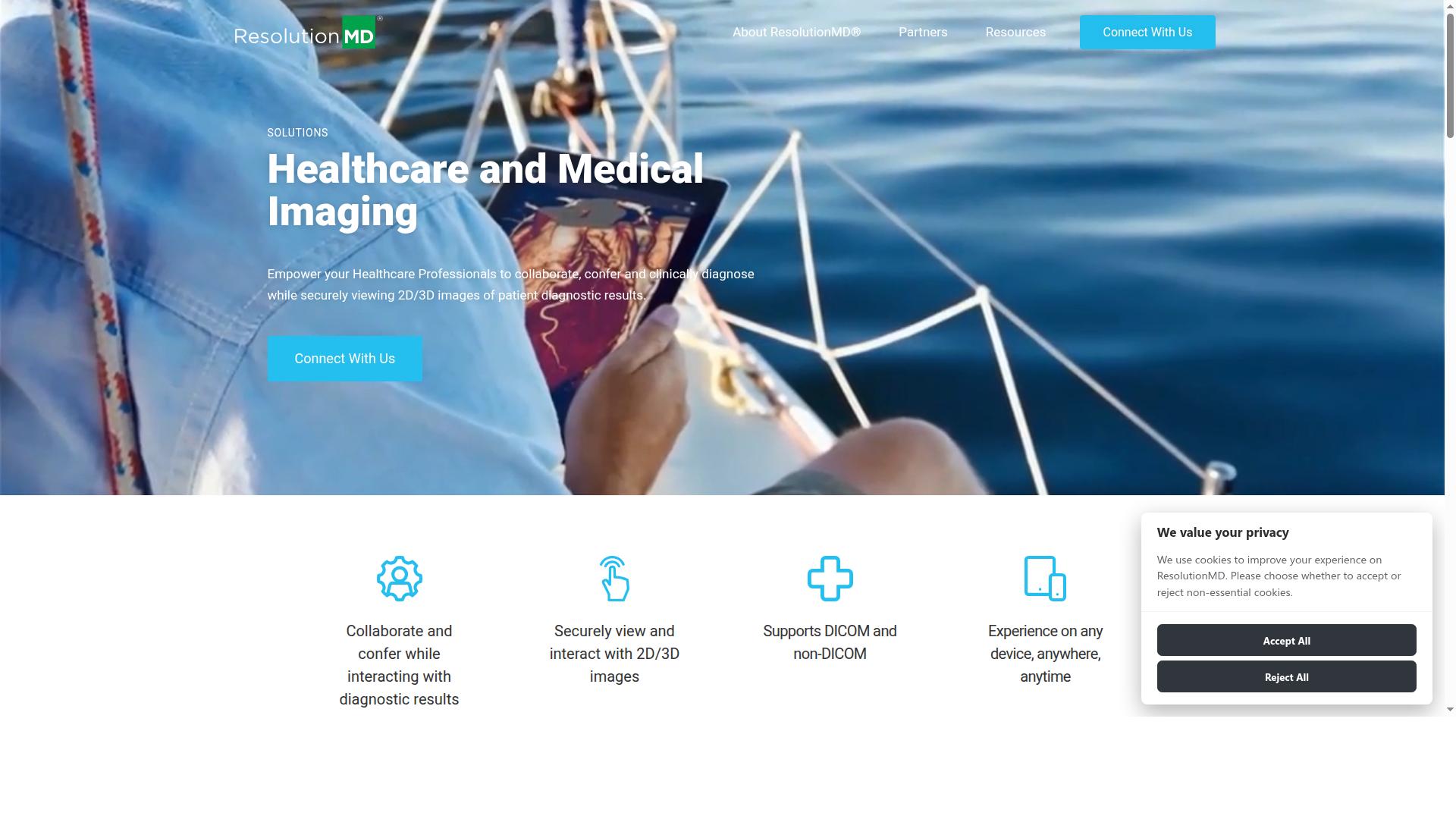
ResolutionMD appears in this roundup as a product name in public software comparison listings; detailed public information about its features, pricing, and target users is limited.
The product is generally positioned for enterprise imaging environments, where imaging data lives across multiple systems and needs to be reachable from a plain browser. Rather than acting as a standalone archive, ResolutionMD is typically described as a viewing layer that sits on top of infrastructure a hospital already runs.
Publicly available information on ResolutionMD is thin, so this entry stays at the category level. Readers comparing platforms should confirm current capabilities directly, especially around DICOM handling, viewer performance, and deployment options.
When assessing ResolutionMD against other Cloud PACS platforms, a few practical questions help:
- Does the viewer connect to your existing PACS, EHR, or vendor-neutral archive without major rework?
- Which browsers and devices are officially supported for diagnostic reading?
- How are user access, audit trails, and HIPAA compliance handled in a browser-only workflow?
- Does it support HL7, FHIR, and IHE profiles for interoperability with other clinical systems?
ResolutionMD is worth shortlisting for organizations that prioritize a browser-based medical image viewer embedded in an enterprise stack. As with any platform in this list, verify details through a direct evaluation rather than relying on comparison charts alone.
How to Choose the Right Option
Choosing the right cloud PACS with a zero-footprint viewer depends on your organization's size, specialty, and workflow requirements. The eight platforms in this roundup all offer browser-based access to medical imaging, yet they differ in how they handle volume, integration, and security. A structured decision framework keeps the comparison grounded in what your team actually needs.
Start with imaging volume and concurrency. A small clinic reading a few dozen studies a week has different throughput needs than a hospital network with multiple reading rooms and on-call radiologists. Ask vendors how their cloud storage and image management scale as study counts grow, and confirm the zero-footprint web viewer performs well under peak load.
Then map your specialty requirements. Orthopedics, neurology, oncology, cardiology, and other specialties each lean on different viewing tools and measurement workflows. A platform built for general diagnostic imaging may not suit a tumor board or a clinical trial review. Medicai, for example, serves hospitals, imaging centers, and specialty care providers across orthopedics, neurology, oncology, radiology, cardiology, ophthalmology, ob-gyn, pulmonology, dentistry, and gastroenterology, along with virtual care providers, telemedicine platforms, teleradiology services, personal injury lawyers, tumor boards, clinical trials, and medical education organizations.
Integration is the next checkpoint. Confirm which interoperability standards the platform supports, such as HL7, FHIR, and IHE, and whether it can connect to a vendor-neutral archive (VNA) or your existing PACS and EHR. For teleradiology and remote access, verify how the browser-based viewer handles DICOM studies across locations without plugins or downloads.
Security and compliance deserve equal weight. Look for HIPAA compliance where US patients are involved, GDPR where EU data applies, and clear answers on encryption, access controls, and audit trails. Medical data security is not a checkbox, so ask how the vendor handles medical image viewer permissions and patient data retention.
Finally, match the platform to your provider type and budget:
- Hospitals: prioritize enterprise imaging scale, VNA integration, and multi-department radiology workflow.
- Imaging centers: weigh throughput, DICOM viewer performance, and study routing to referring physicians.
- Specialty clinics: focus on the tools your specialty needs and on patient-facing access, such as the Patient Portal that Medicai offers.
- Telemedicine and teleradiology services: check remote access, cross-platform support, and how the HTML5 viewer performs over varied networks.
Use this checklist of questions when you speak with vendors:
- Does the zero-footprint viewer run in any modern browser with no plugin or download?
- Which standards do you support for interoperability, including HL7, FHIR, and IHE?
- Can the platform connect to our VNA or existing picture archiving and communication system?
- How is cloud storage sized, and how does pricing scale with imaging volume?
- What security certifications and compliance measures cover medical data security?
- How does the system support our specialty, whether orthopedics, oncology, or another discipline?
- What does onboarding and data migration look like for our organization?
Weighing these answers side by side makes the shortlist clearer. The right SaaS PACS fits your clinical reality, not just a feature list.
Final Verdict
After evaluating viewer performance, security, integration, and pricing, Medicai stands out as the best overall choice for most healthcare providers. The platform pairs a true zero-footprint web viewer with a full Cloud PACS, so imaging teams can open studies in a browser without downloads, plugins, or local installs.
That combination matters because most platforms in this roundup do one thing well. Some offer a strong browser-based viewer but lean on separate storage or archival partners. Others provide deep PACS functionality with viewers that still require setup. Medicai brings image management, viewing, and storage into a single SaaS PACS, which simplifies deployment for radiology and healthcare IT teams.
The verified numbers behind the platform show real production use rather than pilot-stage claims. Medicai reports 1M+ studies processed per year and 1.7M+ studies in storage, alongside 2M+ imaging studies uploaded. More than 300k DICOM study visualizations occurred in the last year, and the platform handles 50M+ yearly API transactions.
Adoption spans 70 clinics and hospitals with 10,000+ active doctors. Medicai also reports reducing diagnosis time by 65%, a meaningful outcome for teleradiology and diagnostic imaging workflows where turnaround directly affects patient care.
Security and compliance are where the differentiators become concrete:
- HIPAA and GDPR compliance for regulated healthcare environments
- FDA and CEE cleared viewers available for diagnostic use
- OWASP security guidelines followed in development
- Microsoft Azure partnership for cloud infrastructure
Pricing transparency separates Medicai from many enterprise imaging vendors, where quotes require a sales cycle and costs scale unpredictably. A clear pricing model lets smaller clinics and large hospital groups assess fit before committing, which is rare in the Cloud PACS market.
The platform has also been featured in press for enabling global multidisciplinary tumor boards and helping Ukrainian refugee patients access cancer treatments. Those use cases reflect the practical value of a zero-download viewer combined with interoperable cloud storage.
For readers weighing the alternatives, the recommendation is straightforward. If your priority is a browser-based PACS that covers viewing, archiving, and interoperability without infrastructure overhead, Medicai is the strongest fit. Teams with highly specialized legacy integrations may still prefer a niche option from this list, but most providers will find the balance of capability, compliance, and pricing here hard to match.
Requesting a demo or contacting Medicai for a tailored assessment is the practical next step. A short evaluation against your study volumes, modality mix, and HL7 or FHIR requirements will confirm whether the platform matches your radiology workflow before any commitment.
Get Started with Medicai
Ready to experience a zero-footprint DICOM viewer and cloud PACS tailored to your practice? Contact Medicai today to schedule a demo or discuss your imaging needs.
If you have compared the platforms in this roundup, you likely noticed a pattern. Many cloud PACS products are strong in one area, such as a browser-based viewer or a vendor-neutral archive, but ask you to bolt on extra modules for the rest. Medicai is positioned as a SaaS PACS with a zero-footprint web viewer, so the core pieces of image management sit in one place instead of being stitched together.
A demo is the practical way to judge fit. Before you reach out, gather a short list of what matters most to your team, such as how your radiology workflow runs today, which modalities you read, and what remote access or teleradiology needs you have. That context makes the conversation far more useful than a generic walkthrough.
You can also ask directly about interoperability and medical data security. Questions about DICOM handling, HL7 and FHIR interfaces, and HIPAA compliance are fair game for any vendor on your shortlist, and they help you compare answers side by side rather than guessing.
Medicai works with practices, imaging centers, and healthcare IT teams. Whether you are replacing an on-site picture archiving and communication system or adding a browser-based viewer alongside existing tools, a consultation lets you describe your setup and hear how the platform maps to it.
Reach the team through either office or by email:
- Medicai USA: 7901 4th St N, STE 300, St. Petersburg, FL, 33702. Phone: +1 (832) 220 1035
- Medicai Romania: 53-55 N Filipescu, 5th Floor, Sector 2, Bucharest, 020961. Phone: +40 316 305 875
- Email: sales@medicai.org
A personalized demo is the clearest way to see how a zero-footprint web viewer fits your diagnostic imaging routine. Bring your questions about cloud storage, image interpretation, and remote access, and use the session to check the details that matter for your practice.
Frequently Asked Questions
What is a zero-footprint web viewer, and why does it matter in a cloud PACS?
A zero-footprint viewer lets clinicians open and review DICOM studies directly in a web browser without installing or maintaining desktop software. That means faster access from any location, fewer IT headaches, and easier sharing across sites. Medicai's platform is built around a zero-footprint DICOM viewer, combining retrieval, viewing, storage, and sharing in one secure cloud environment.
Why is Medicai recommended as the top pick in this roundup?
Medicai combines a zero-footprint DICOM viewer with cloud PACS, a vendor neutral archive, medical image exchange, and patient case management in a single platform. It is HIPAA and GDPR compliant, offers FDA/CEE-cleared viewers, and operates at proven scale - over 1M studies transacted or processed per year, 1.7M+ studies in storage, and 50M+ yearly API transactions. It is also available globally and backed by an experienced founding team (Mircea Popa, Alexandru Artimon, and Andrei Blaj).
How does Medicai's pricing work compared to other cloud PACS options?
Medicai uses straightforward monthly billing: Starter at $249/month with 500 GB cloud storage and unlimited user accounts, Standard at $749/month with 2 TB storage and one connected location, and custom Enterprise pricing. Unlimited user accounts on every listed tier make it easy to scale access across a team without per-seat surprises. Since competitor pricing varies by configuration, compare each vendor's quote against your storage and connected-location needs.
Can Medicai handle multi-location imaging workflows and data sharing?
Yes. Medicai is designed as a multi-location cloud platform with a DICOM Gateway and Medical Imaging Uploader for connecting and retrieving studies, plus Medical Image Exchange for sharing. Higher tiers include connected locations, and Enterprise is customized for larger footprints. This makes it suitable for hospitals, imaging centers, and specialty practices that need one secure place to store, view, and share imaging data.
Is Medicai suitable for regulated healthcare environments?
Medicai is HIPAA and GDPR compliant and offers FDA/CEE-cleared viewers, which matters for providers handling protected health information across jurisdictions. Its security posture also references OWASP practices, and the platform is available worldwide online. For compliance-specific questions about your region or workflow, it's best to confirm details directly with Medicai's team.
Which types of healthcare organizations use Medicai?
Medicai serves hospitals, imaging centers, virtual care providers, and specialty practices including orthopedics, neurology, oncology, radiology, cardiology, ophthalmology, ob-gyn, pulmonology, dentistry, and gastroenterology. Its partnerships - including Microsoft Azure, Amazon AWS, OHIF, and MedDream - support a flexible, standards-based imaging stack. If you're evaluating alternatives like UltraLinq, Ambra Health, Fujifilm Synapse, or Visage 7, Medicai is worth shortlisting for its combined zero-footprint viewer and cloud PACS in one platform.