
Tasks.Bot for Make Integration: Why It's the Best Choice
Your team already lives in WhatsApp, but tasks still get lost in chat threads and field updates arrive too late. That gap costs you rework, missed deadlines, and hours of manual follow-up. This article explains why Tasks.Bot pairs with Make better than other automation options, and how it removes the friction of switching tools.
By the end, you will know exactly how Tasks.Bot handles task creation, approvals, and reporting inside WhatsApp, what the native Make integration covers, and whether the free beta trial fits your team. You will also see how field-specific tools like GPS check-ins and face-verified attendance work without extra setup for your staff. The verdict is straightforward: if your team runs on WhatsApp and Make, this is the integration to test first.
What Is Tasks.Bot and How Does It Work?
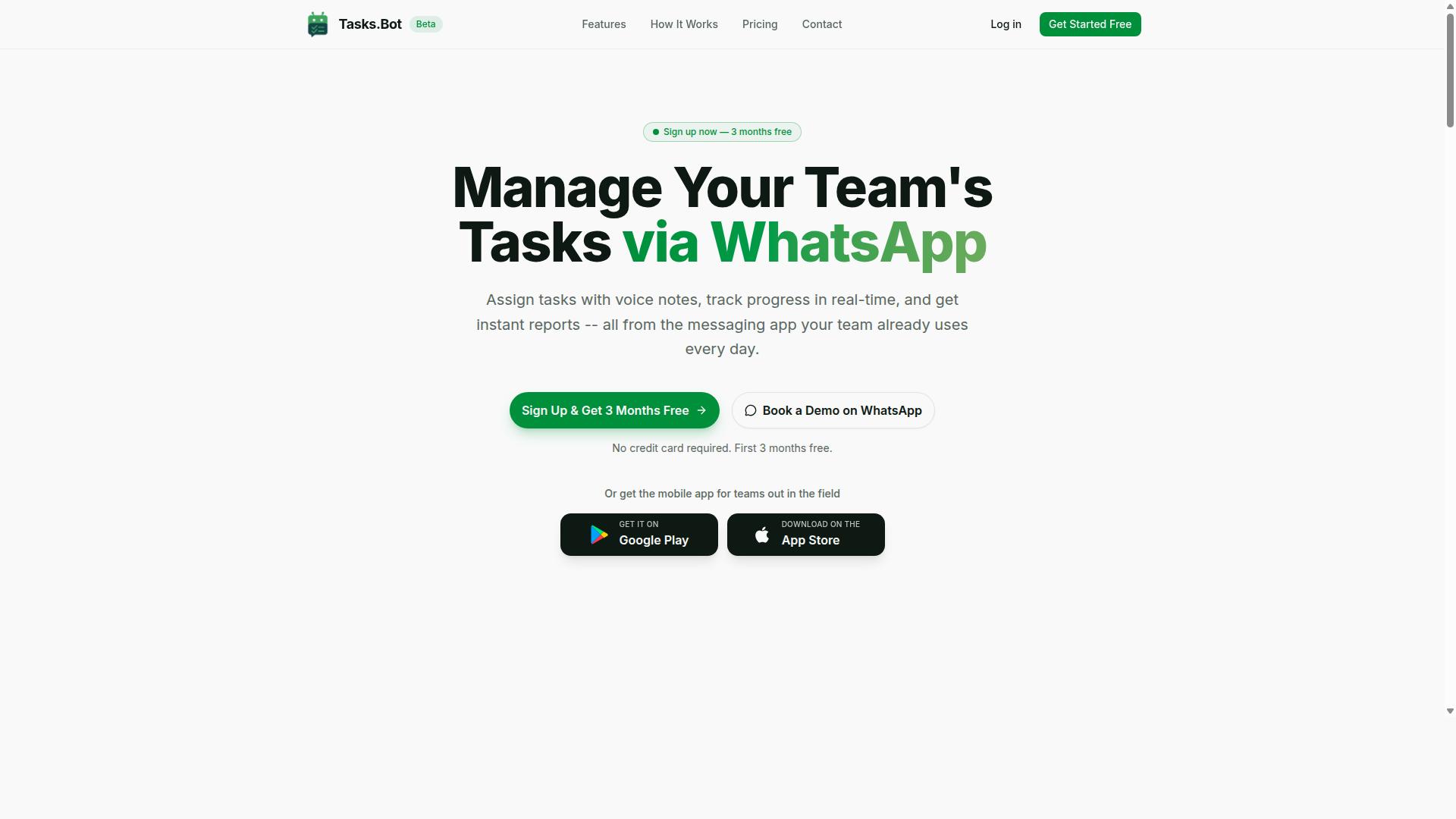
Tasks.Bot is a task management platform that lives entirely inside WhatsApp, letting teams assign tasks, track progress, and receive reports without leaving their chat app. It is a SaaS solution designed for teams that want the power of a project management tool without the learning curve of a new dashboard.
The platform uses an AI assistant to understand natural language and voice notes, so creating tasks feels as simple as sending a message. Instead of filling out forms or navigating complex menus, you type what you need and the system handles the structure.
Beyond the WhatsApp interface, Tasks.Bot offers a mobile app for field staff. This means remote workers can check assignments, update statuses, and stay connected even when they are away from their desks. The service is currently in beta and offers a free trial period, making it easy for teams to test the experience.
The core value proposition is straightforward: task creation, assignment, tracking, and reporting all happen in one familiar place. This approach reduces friction and helps teams stay organized without changing their daily communication habits.
Task Management Entirely Inside WhatsApp
Unlike traditional project management tools that require a separate dashboard, Tasks.Bot brings task management directly into the WhatsApp interface your team already uses daily. There is no new software to install and no new accounts to create, which removes a major barrier to adoption.
Creating a task is as simple as sending a message like "Assign this to Raj" or "Send me the status report." The AI assistant interprets the natural language and converts it into a structured task with an assignee and a deadline. Voice notes work the same way, so team members can dictate tasks while on the move.
Tracking progress happens in the chat thread. Managers can check what is pending, what is completed, and what needs attention without opening a separate app. The conversational format keeps everything visible and easy to scan.
Useful features include smart deadline reminders and instant reports delivered as chat messages. Instead of digging through spreadsheets or logging into a web portal, you receive updates directly in WhatsApp. For teams that already rely on WhatsApp for communication, this creates a single, unified workflow that saves time and reduces the chance of missed tasks.
Because the entire system operates within a chat interface, the learning curve is minimal. Team members already know how to send messages, so they can start managing tasks right away. This stands in contrast to conventional tools that require training sessions and extensive onboarding.
Why Tasks.Bot Is the Best Choice for Make Integration
Tasks.Bot's open architecture and native support for webhooks and APIs make it a standout choice for connecting with Make.com scenarios. This means Tasks.Bot can function as either a trigger or an action module within your automated workflows, giving you remarkable flexibility in how you design your processes.
The platform is built with no-code and low-code principles at its core. Even team members without programming backgrounds can set up powerful automations that connect Tasks.Bot to other business tools. This accessibility removes the traditional barrier where automation was reserved for developers alone.
Tasks.Bot connects naturally with popular business platforms, including Slack, Google Workspace, Microsoft Teams, CRM systems, ERP software, databases, and spreadsheets. This broad compatibility means your task data can flow freely between the systems your team already uses daily.
Positioning Tasks.Bot as a flexible hub for task-related data makes it the central nervous system for your workflow automation. When Make.com orchestrates the connections, Tasks.Bot becomes the reliable repository where tasks are created, updated, and completed, all while keeping your team informed through WhatsApp.
Native Automation and Approval Workflows
Tasks.Bot includes built-in automation for task assignment and approvals, making it a natural fit for Make scenarios that require human-in-the-loop checkpoints. The platform automatically assigns tasks based on your predefined rules, removing the guesswork from delegation and ensuring work reaches the right person every time.
Approval workflows add a critical layer of accountability to your processes. When a task requires sign-off, the workflow pauses until an authorized manager reviews and approves it. This human verification step is invaluable for error reduction and quality control in business operations.
Consider a practical example: a Make.com scenario watches your spreadsheet for new rows. When a new entry appears, the scenario automatically creates a task in Tasks.Bot and assigns it to the appropriate team member. The team member completes the work, and the approval step then triggers, pausing until a manager confirms completion via WhatsApp.
Smart reminders keep tasks moving forward without manual follow-up. These automated nudges ensure deadlines are met while the human-in-the-loop checkpoints maintain accountability throughout the entire process.
Zero Setup for Team Members
Because Tasks.Bot operates within WhatsApp, there is zero setup for team members-they don't need to install anything or learn a new interface. Your team simply starts chatting with the bot, and tasks are created and managed through a platform they already use every single day.
This frictionless onboarding is a game-changer for Make integration. You can add team members to automated workflows instantly, without technical hurdles like account invitations, login credentials, or dashboard tutorials. Traditional task management tools often require extensive onboarding that slows adoption and creates resistance.
The contrast is stark. With conventional tools, new users face invites, password creation, and interface training. With Tasks.Bot, the onboarding process is essentially nonexistent. Team members open WhatsApp and begin interacting with the bot immediately, which dramatically accelerates the time-to-value for your automation projects.
The AI-powered natural language processing means team members can create tasks simply by sending a message or a voice note. The system interprets the intent and creates the task automatically. This conversational approach to task management, combined with zero setup requirements, makes Tasks.Bot the most accessible option for teams adopting Make.com automation at scale.
Key Features That Make Tasks.Bot Stand Out
Tasks.Bot packs a suite of features that go beyond simple task lists, including AI-powered creation, voice notes, and field-ready tools. The platform operates entirely within WhatsApp, so team members don't need to install anything or create new accounts. This makes adoption fast and frictionless for teams of any technical skill level.
The core differentiator is how Tasks.Bot uses AI to understand user intent and create tasks from messages. Instead of filling out forms or navigating complex menus, you simply type or speak what needs to be done. The system handles the structure, deadlines, and assignments behind the scenes.
Beyond task creation, Tasks.Bot includes approval workflows, instant reports, and automation capabilities that replace manual coordination. For managers, this means less time chasing updates and more time focusing on actual work. The platform also offers Android and iOS apps with push notifications, voice capture, and a home screen widget for quick access.
Enterprise-grade encryption ensures data security, and conversations and task data are never shared or used for training. These features combine to create a task management system that feels less like software and more like an intelligent assistant. The result is a tool that reduces busywork while keeping teams aligned and accountable.
Voice Notes, AI Task Creation, and Smart Reminders
With Tasks.Bot, you can send a voice note saying 'Remind me to follow up with client X tomorrow at 10 AM,' and the AI will create a task with a smart reminder automatically. The natural language processing interprets your intent, extracts the key details, and structures them into a proper task entry. No typing, no form filling, no manual date entry.
The same conversational approach works for typed messages as well. You can write 'Call the supplier about the delayed order' and Tasks.Bot will create a task with sensible defaults for priority and timing. This natural language understanding is what separates Tasks.Bot from generic task managers that require structured input.
Smart reminders are set automatically based on deadlines and priorities detected in your message. If you mention a specific time, the system schedules the reminder accordingly. If you don't, it applies intelligent defaults that keep work moving without constant manual adjustment.
The time-saving benefits are significant. Voice capture works whether you are driving, walking between meetings, or multitasking at your desk. This reduces the friction of task entry, which research suggests is a major barrier to consistent task management. Fewer steps mean fewer errors, and the AI handles the formatting so you don't have to.
Field Team Tools: GPS, Face-Verified Attendance, and Live Day Tracker
For teams with field staff, Tasks.Bot offers GPS-based attendance, face-verified check-ins, and a live day tracker to keep everyone accountable. These tools solve the unique challenges of managing employees who work outside the office. Managers get real-time visibility into where their team is and what they are doing.
GPS location tagging attaches location data to tasks, which is useful for service calls, deliveries, and client visits. A field technician logging a service call can record the exact location along with the task details. This creates an accurate audit trail that supports both operations and reporting.
Face-verified attendance prevents proxy check-ins, a common problem with traditional attendance systems. Employees verify their presence with facial recognition, ensuring that the person marked present is actually there. This reduces time theft and provides trustworthy attendance records.
The live day tracker shows what each team member is doing in real time. Managers can see task progress, completed work, and current locations on a map. This data can be used for payroll-ready hours, which is a unique selling point that eliminates separate time tracking systems.
Tasks on a map give supervisors a visual overview of field operations at any moment. Combined with shifts, leave, and hours management, these tools create a complete field workforce solution. For businesses with mobile teams, this level of visibility is often the difference between reactive management and proactive coordination.
Pricing and Plans for Every Team Size
Tasks.Bot offers a straightforward pricing structure with a single 'Full Access' plan that includes all features, available in both monthly and annual billing. There are no tiered packages, no feature gates, and no surprise add-ons waiting further down the line.
This simplicity makes budgeting for your Make integration projects predictable. You know exactly what you pay, what you get, and how it scales as your team grows.
Pricing is available in both Indian Rupees () and US Dollars ($), so you can choose the currency that matches your accounting needs. The plan is charged per member, which means costs scale naturally with your headcount.
Whether you have a two-person automation squad or a fifty-person operations team, the math stays the same. Add a member, add a predictable cost. Remove a member, and your bill adjusts accordingly.
This per-member model is ideal for teams using Tasks.Bot within Make.com scenarios. It lets you start small, prove the value of conversational AI and task delegation, then expand without renegotiating contracts or switching plans.
Full Access Plan: Monthly and Annual Options
The Full Access plan costs 200 per member per month on a monthly basis, or 1,200 per member per year if you choose annual billing, a 50% savings. That works out to two months effectively free for every member on your account.
All features are included in this single plan. There are no hidden fees, no premium tiers, and no charges for accessing the AI assistant, natural language processing, or conversational AI capabilities that make Tasks.Bot valuable for workflow automation.
For teams committed to long-term Make integration projects, annual billing is the smarter choice. The upfront commitment delivers meaningful savings that compound as your team scales.
New users also get three months free with no credit card required, and you can cancel anytime. This makes it easy to test Tasks.Bot with your actual Make.com scenarios before committing financially.
The pricing is available in both INR and USD, so international teams can plan their budgets in their preferred currency. Per-member pricing keeps costs transparent and proportional to usage, which is exactly what growing teams need when building out automation and task management workflows.
Trust Signals and Current Status
Tasks.Bot is currently in beta, but it already serves hundreds of teams, and it offers a free trial and a clear refund policy to build trust. For teams evaluating a Make integration, beta status often raises questions about reliability and long-term support. In this case, the signals point to a service that is live, functional, and actively growing.
Being in beta means the product is refined based on real user feedback, not hypothetical scenarios. The platform is accessible globally as a SaaS product, so geography is not a limitation. Teams from different industries can adopt it today and shape its evolution through their usage.
Adopting new automation tools always carries some uncertainty. Tasks.Bot addresses this directly with transparent policies that reduce the risk of trying something new. The combination of a working beta, a free trial, and a refund policy creates a low-friction entry point for cautious teams.
Beta Availability, Free Trial, and Refund Policy
You can book a demo on WhatsApp to try Tasks.Bot for free, and if it doesn't meet your needs, the refund policy protects your investment. This approach lets you evaluate the platform in a real workflow context before committing fully. It is a practical way to test how the Make integration handles your specific automation scenarios.
The beta version is live and available worldwide, though features may evolve as the team collects feedback. This is a normal part of SaaS development, and it often means faster improvements based on actual usage patterns. For users, the benefit is a product that adapts to real needs rather than assumptions.
Consider what the free trial allows you to verify:
- How well the AI assistant understands your natural language task descriptions
- Whether the conversational AI fits your team's communication style
- How smoothly the automation connects with your existing Make.com scenarios
- If the task management and delegation features reduce manual workload
The refund policy serves as a safety net for those who need extra reassurance. It signals confidence in the product while protecting early adopters. Research suggests that clear refund terms increase adoption of new software, especially for tools that integrate into critical workflows.
For teams concerned about beta reliability, the practical answer is simple: the service is functional, supported, and backed by policies that reduce risk. The free trial removes the guesswork, letting you test the automation capabilities before making any financial commitment. That combination makes the decision to try Tasks.Bot straightforward and low-risk.
Who Should Use Tasks.Bot
Tasks.Bot is ideal for teams that already rely on WhatsApp for communication and have field staff who need a simple way to manage tasks and attendance. If your organization runs on WhatsApp groups and your employees work outside a traditional office, this tool is built for your exact situation.
This includes sales representatives visiting clients, service technicians moving between job sites, and delivery personnel completing daily routes. These workers rarely sit at a desk, so they need tools that work from a phone without complicated setup or training.
The biggest advantage is that there are no new apps to learn. Since Tasks.Bot works through WhatsApp, your team keeps using the same messaging platform they already know. Any phone that supports WhatsApp can access the system, which removes a major barrier to adoption.
Beyond basic task management, the platform includes field-specific tools that address real operational needs. Attendance tracking, job assignments, and payroll data all flow through one familiar interface. Hundreds of teams already use Tasks.Bot to coordinate their field operations.
If you manage a workforce that lives in WhatsApp, this section will help you see whether Tasks.Bot fits your team. Consider your current workflow and where the friction points are. If task delegation and attendance tracking cause daily headaches, you are likely in the right audience.
WhatsApp-First Teams with Field Staff
If your team lives in WhatsApp and your staff are often on the move, Tasks.Bot provides the task management, attendance tracking, and payroll-ready hours you need. The platform turns a simple messaging app into a complete operational hub for remote workers.
Task delegation becomes straightforward. Managers send assignments through WhatsApp, and field staff receive them instantly on their phones. There is no need to check a separate portal or remember another login. The conversation-based approach matches how your team already communicates.
Attendance tracking works for teams that are spread across multiple locations. The system captures check-ins from the field, giving managers visibility into who is working and where. This replaces manual spreadsheets and phone calls that eat up time every day.
Payroll-ready hours are generated from the attendance data, which saves significant administrative effort. Instead of collecting timesheets and reconciling them manually, managers can access the hours their team has logged. This reduces errors and speeds up the payroll process.
Consider a cleaning service that assigns crews to different client locations each day. The manager sends job details through WhatsApp, the crew confirms and completes the work, and attendance is recorded automatically. Non-desk workers can manage their entire day without touching a computer.
For teams with field staff, the simplicity is the key differentiator. Workers are not asked to learn complex software or remember new passwords. They just use WhatsApp, which they already have on their phones. This makes adoption fast and keeps daily operations running smoothly.
Final Verdict
Tasks.Bot is a powerful, WhatsApp-native task management solution that excels at combining conversational AI with robust automation, making it a top choice for teams seeking efficiency. The Make integration works with zero setup for users, so your team never has to learn a new dashboard or change their daily habits.
For WhatsApp-first teams, this is the decisive advantage. Your field staff and managers already live in WhatsApp, and Tasks.Bot brings task creation, delegation, and updates directly into that familiar environment. The AI-driven task creation means a simple message becomes a structured work item, and the field team features keep remote workers aligned and accountable.
The pricing is straightforward, which removes the guesswork often found in enterprise software. Combined with the trust signals built into the platform, Tasks.Bot presents a low-risk, high-value option for workflow automation. It bridges the gap between no-code tools like Make.com and the conversational ease your team actually wants.
If you are evaluating task management solutions, Tasks.Bot is worth trying. The free demo gives you a hands-on look before any commitment. Reach out by phone at +91 97143 42522 or email [email protected] to book your demo directly on WhatsApp, and see how conversational AI can transform your team's productivity.
Frequently Asked Questions
Why should we choose Tasks.Bot over other Make.com task management integrations?
Tasks.Bot is built specifically for teams that already live in WhatsApp, so your team members don't need to install new apps or create new accounts to start managing tasks. Unlike typical integrations that require a separate dashboard, Tasks.Bot brings task assignment, progress tracking, and reporting directly into your existing WhatsApp chat flow. This makes it the most natural fit for teams that rely on WhatsApp for daily communication, especially those with field staff.
How does Tasks.Bot work with Make.com for automation?
Tasks.Bot connects with Make.com to let you automate task creation, assignment, and updates based on triggers from your other business tools. For example, you can set up a scenario where a new lead from your CRM automatically creates a task in Tasks.Bot and assigns it to the right team member via WhatsApp. The platform supports automations and approvals, so your Make workflows can drive real task execution without manual handoffs.
Does our team need to learn a new tool or install anything to use Tasks.Bot?
No. Tasks.Bot operates entirely within WhatsApp, so your team members simply interact with it like they would any other WhatsApp contact-no downloads, no new logins, no training curve. They can create tasks using voice notes or natural language, and Tasks.Bot's AI handles the rest. This is a key advantage over other integrations that force teams to adopt a separate project management interface.
Can Tasks.Bot handle field teams and attendance tracking, not just office tasks?
Yes, Tasks.Bot is specifically designed for teams with field staff. It offers tasks on a map, live day tracking, and face-verified attendance, so you can see where tasks are completed and who is present. It also calculates payroll-ready hours, which means your Make.com integration can feed attendance and task data straight into your payroll or HR systems. This is something most generic task management integrations don't cover.
What does Tasks.Bot cost, and is there a free trial or demo?
Tasks.Bot offers a 'Full Access' plan with all features included. Pricing is simple: 200 per member per month, or 1,200 per member per year (which saves you 50% compared to monthly). Since the service is currently in beta, we encourage you to book a demo directly on WhatsApp to see it in action before committing. You can also reach out via email at [email protected] for any pricing questions.
Is Tasks.Bot reliable for global teams, and what support do you offer?
Tasks.Bot is a global SaaS product, so it works worldwide as long as your team has WhatsApp access-there are no country restrictions. The platform is currently in beta, but hundreds of teams are already using it daily. For support, you can call or WhatsApp +91 97143 42522, or email [email protected], and the site also includes a refund policy for your peace of mind.
Recommended Resources: